The WordPress update
We've spent the last two months turning Ploi into a proper home for your WordPress sites.
What started as basic WP-CLI plumbing is now a full WordPress control panel: manage plugins and themes in bulk, deploy multiple Git repositories per site, clone an entire WordPress install (database and all) to another server, and run search-replace right from the dashboard.
Everything is also exposed through the API, so you can wire it into your own automation. Here's everything that landed.
A new WordPress dashboard
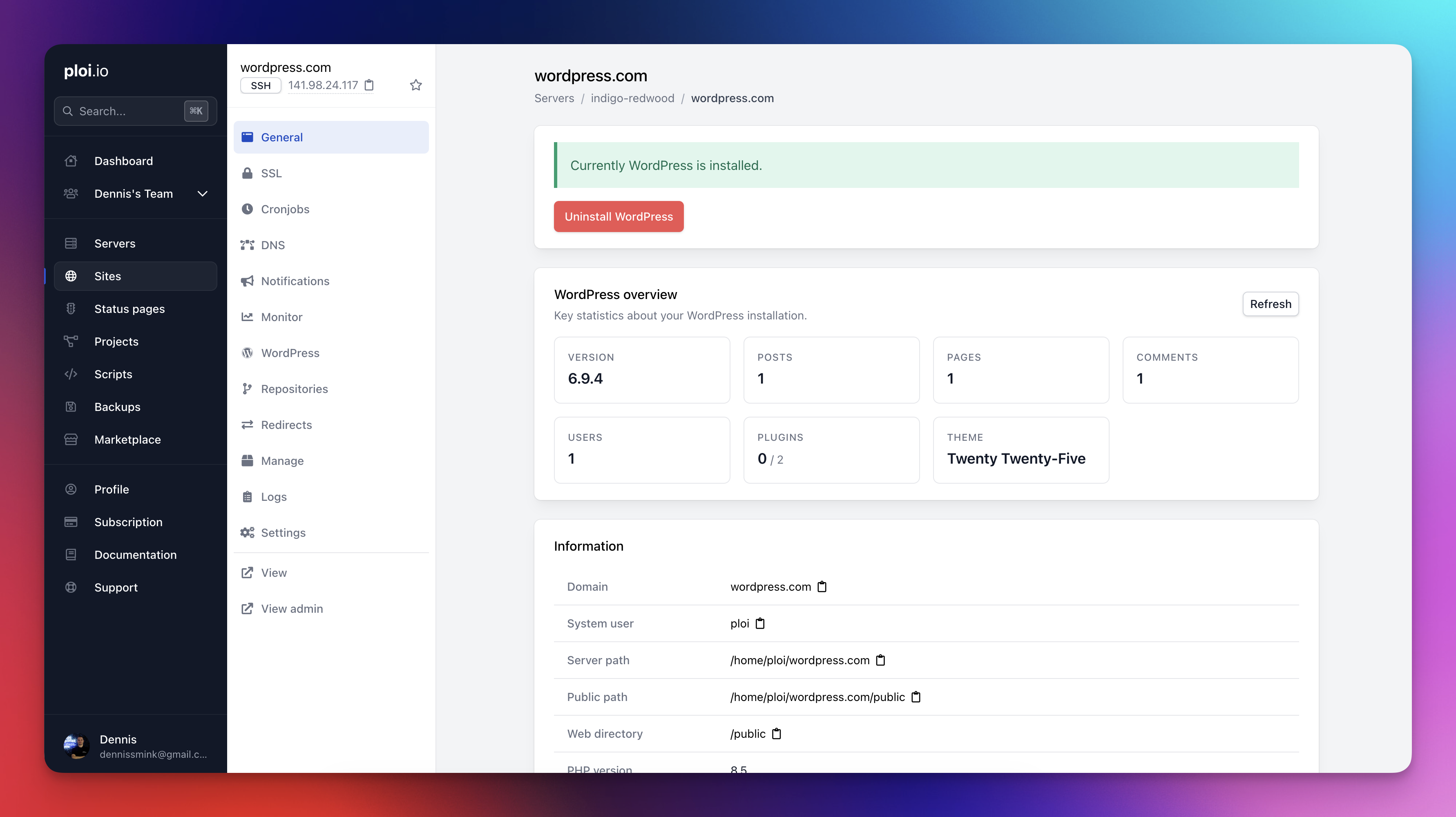
Every WordPress site in Ploi now has a dedicated WordPress page packed with the things you actually open phpMyAdmin or SSH for today.
Statistics overview — version, post and page counts, comments, users, active plugins, current theme, and pending updates, all on the site's general page. Cached for 24 hours with a one-click refresh.
WP_DEBUG toggle — flip debugging on or off without editing
wp-config.phpby hand. We setWP_DEBUG_DISPLAY=falseautomatically so errors never leak to your visitors, and there's an in-panel log viewer with load, refresh, and clear actions.Smarter config detection — Ploi now auto-detects
wp-config.phpwhether it lives in your web directory or one level up, and "Environment file location" was renamed to the more accurate "Configuration file location" (it covers both.envandwp-config.php).
Plugin and theme management
This is the big one. No more wp plugin install foo over SSH.
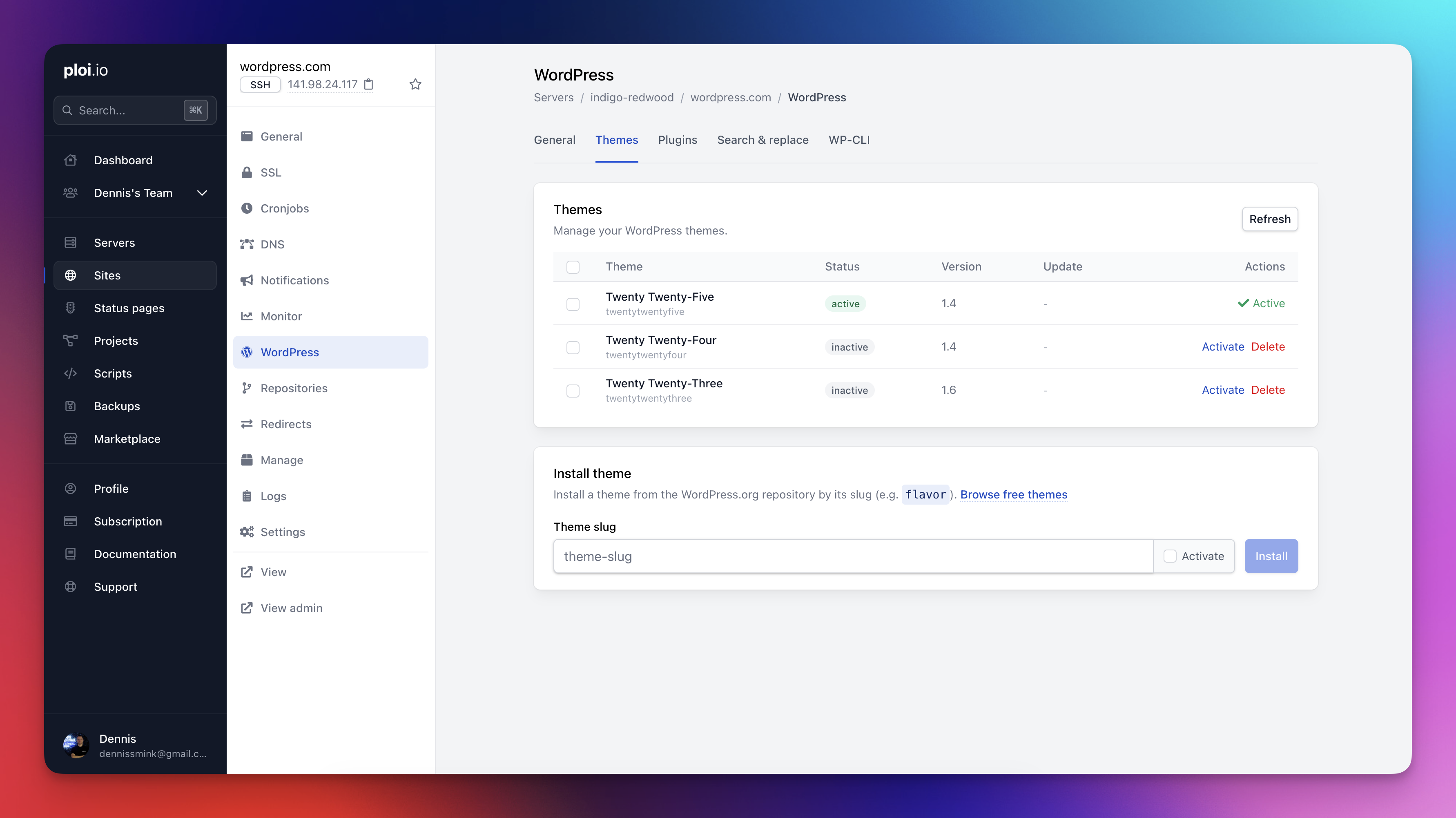
Install plugins by WordPress.org slug with an optional "activate immediately" toggle.
Install themes the same way, with a handy link to browse the free theme directory.
Delete plugins and themes safely, with a confirm modal and a clean
wp-cli uninstall --deactivateunder the hood.Bulk actions — checkboxes on every row, select-all in the header, and a blue action bar that lets you activate, deactivate, update, or delete many plugins (or update/delete many themes) in a single WP-CLI call. Deletes still ask for confirmation.
MU-plugin awareness — must-use plugins are marked with a blue "Auto-enabled" badge and excluded from bulk selection so you don't accidentally try to manage them.
Search & Replace
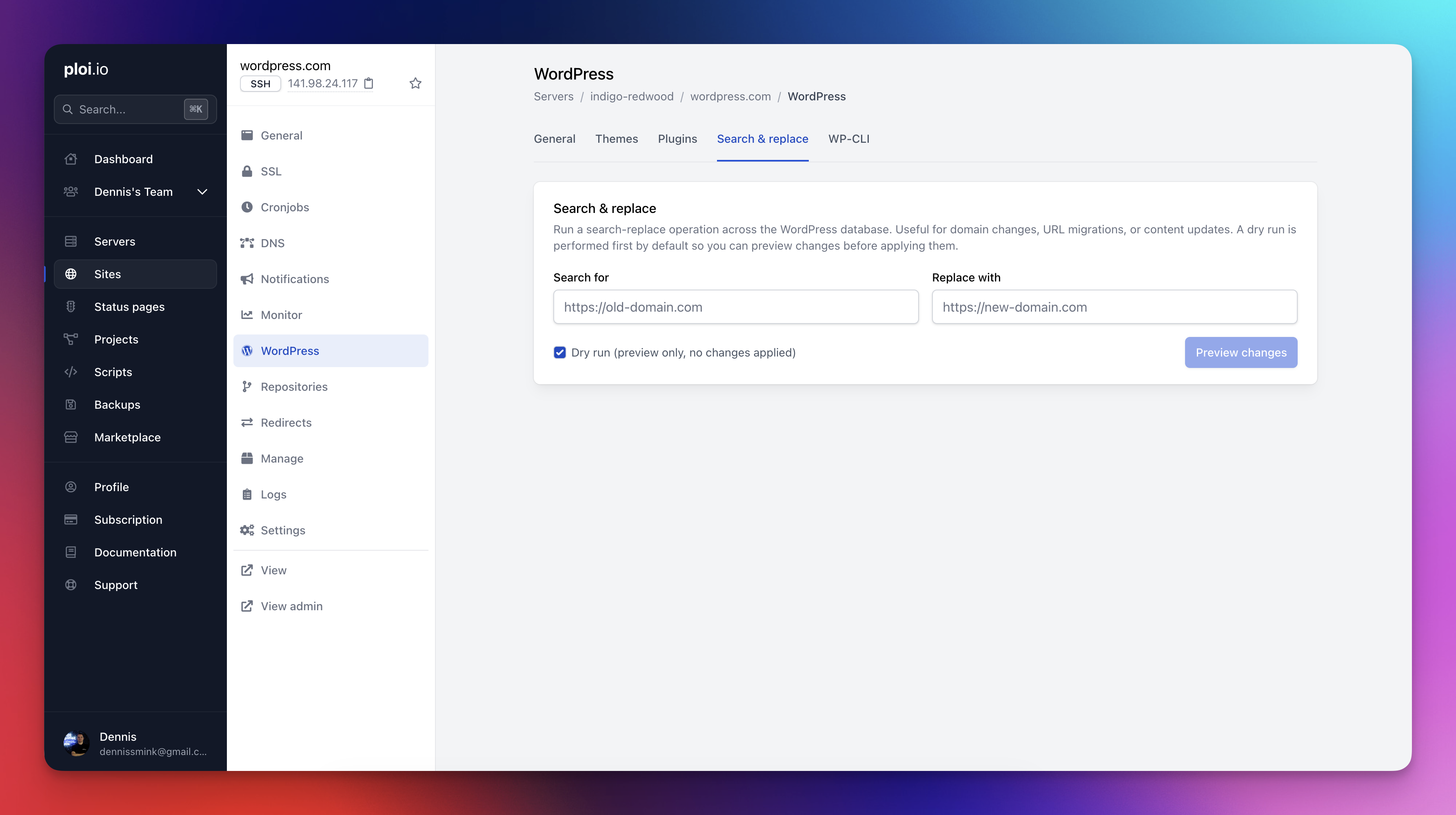
A new "Search & Replace" tab runs wp search-replace against your database with the safe defaults you'd want: --precise and --all-tables-with-prefix. There's a dry-run mode so you can preview the change count before committing. Perfect for domain migrations, environment swaps, and SSL switches.
Multi-repository management
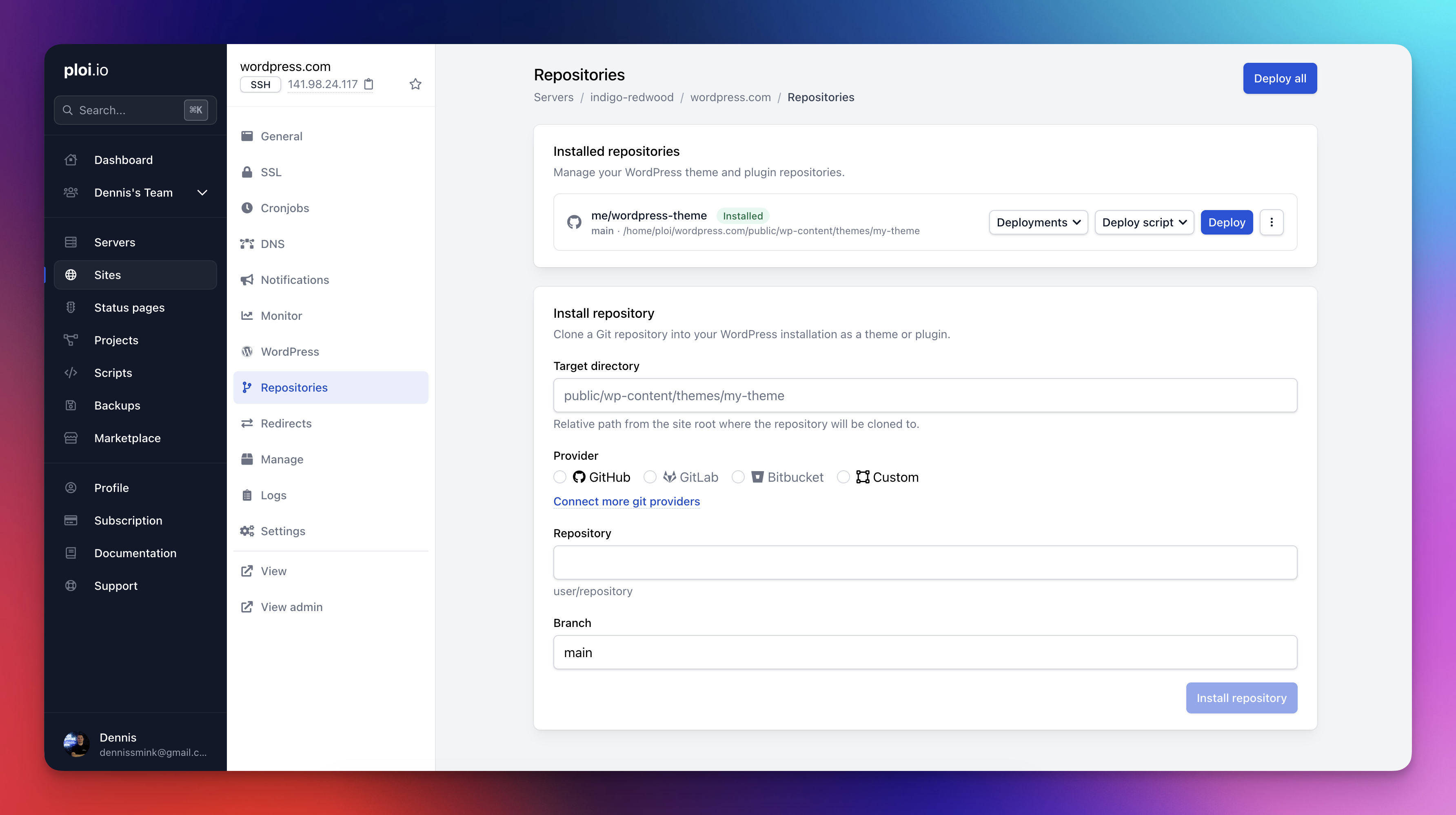
WordPress sites are rarely a single repo anymore — you've got a custom theme here, a private plugin there, maybe a mu-plugins repo. Ploi now treats them as first-class citizens.
Install, deploy, and manage multiple Git repositories per WordPress site — themes, plugins, or any custom path.
Per-repo deploy scripts so each repository can have its own build steps.
Real-time status tracking via broadcasting — installs and deploys updates live in the UI.
A deploy modal with full log output so you can watch the deploy stream and debug failures in place.
Edit, delete confirmations, full path display, and branch-aware deploy scripts included.
WordPress site cloning
Cloning a WordPress site is now a one-click operation, and it actually clones WordPress — not just the files.
New cloning job handles database creation, duplication,
wp-config.phpcredential rewriting, and a domain-awarewp search-replacein one go.Replaces all URL variants (bare domain,
https://,http://) so the clone boots up, pointing at its new home.Works on the same server and across servers.
The Clone Site card is right there on the WordPress General tab.
Bonus Cloudflare fix: subdomain cloning now correctly walks up the DNS hierarchy to find the matching Cloudflare zone (e.g.
sub.example.com→example.com).
API: everything above, programmatically
Every new WordPress capability ships with a matching API endpoint, so the same things you can click in the dashboard can be triggered from CI, scripts, or your own tooling.
Endpoints for listing, activating, deactivating, installing, updating, and deleting plugins and themes.
A search-replace endpoint with dry-run support.
A clone endpoint with a
clone_databaseflag.All WordPress API actions now run through a queued job by default, so long-running WP-CLI commands don't tie up your HTTP request.
Need the result inline? Pass
?ondemand=trueand the endpoint runs synchronously and returns the WP-CLI output in the response.
Check all the endpoints at our API documentation.
Try it
If you already manage WordPress sites with Ploi, the new WordPress tab, the new Repositories tab, and the cloning flow are live in your panel right now — no migration needed.
If you're not on Ploi yet, this is a great moment to give it a try. WordPress hosting on your own servers, with the developer experience you'd expect from a modern panel.
Added
Multi-repository management for WordPress sites — install, deploy, and manage multiple Git repositories per site
Edit modal, delete confirmation, full path display, and branch-aware deploy scripts for repositories
WordPress plugin and theme install and delete, with confirm modals
Bulk actions for WordPress plugins (activate, deactivate, update, delete) and themes (update, delete)
WordPress search & replace tool with dry-run support
WordPress site cloning with database duplication and
wp search-replacefor the new domainWordPress statistics overview (version, posts, pages, comments, users, plugins, theme, updates) on the site general page
WP_DEBUG toggle with built-in debug log viewer
Queued WordPress API actions with
?ondemand=truefor synchronous responsesWordPress API endpoints for plugins, themes, search-replace, and clone
Native rclone backup driver type
FTP backup file tracking and rotation for database and site backups
Variable injection via deploy webhooks for applications
Search servers and sites by ID in global search
Tags for sites in global search results
Automatic DPA generator
View logs button on deploy failed and rollback emails
Helpful hint when GitLab HTTP git access is disabled
Discord community link in the welcome email
Feedback link in the subscription cancellation email
Show Server Insights in subscription plan feature lists
Show team member git providers on the site install view
Improved
Refreshed all email templates with blue buttons, a unified footer, and updated welcome copy
Hardened DPA v2.0 to reduce processor liability
Insights tab is now visible regardless of subscription status
Show existing saved payment methods in Stripe Checkout
Health check error emails now include the server name and a manage button
WordPress configuration file handling auto-detects
wp-config.phpwhether it lives in the web directory or one level upRenamed "Environment file location" to "Configuration file location" to reflect support for both
.envandwp-config.phpCloudflare zone matching now walks up subdomain levels to find the correct parent zone
Fixed
SEPA subscription handling — proper async payment event handling with 14-day grace period
Server installation on Ubuntu 24+ now uses
libpcre2-devafterlibpcre3-devwas removed upstreamCertbot now includes all domains in
webroot_mapon multi-domain certificatesRclone backup failures resolved with
--ignore-checksumand proper archive generation handlingDatabase backup local files are now cleaned up after upload
Zero-time deployment now guards against a missing repository
Server log description no longer overflows when the script label is too long
Test domain toggle now shows the correct message after state changes
Deployment limit banner no longer disappears when a free-plan user exceeds 5 deploys