Ever made a change to your NGINX configuration and wished you could just go back? We've all been there. That's why we're excited to introduce NGINX config version history for both servers and sites.
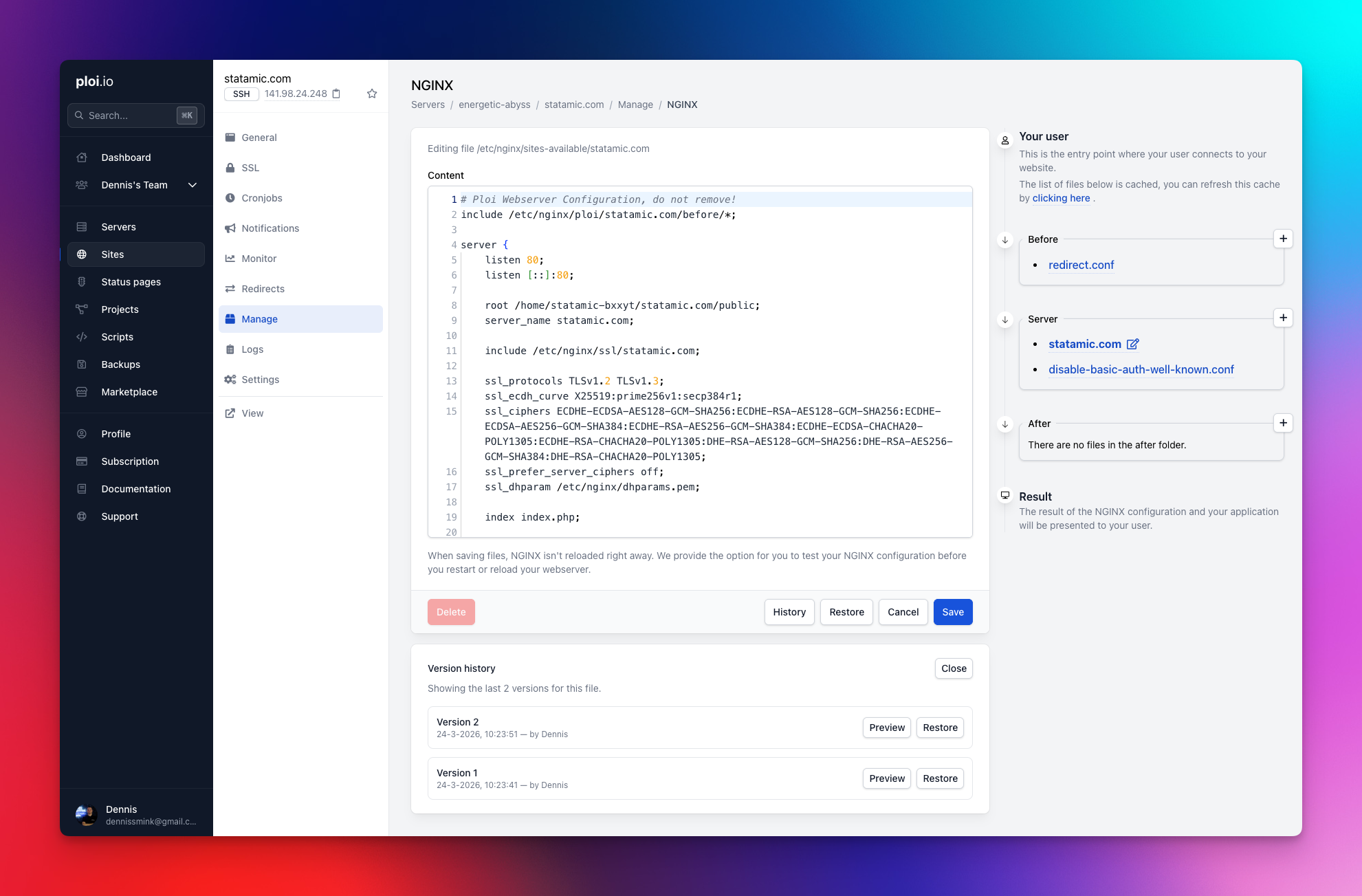
Every time you save a configuration file, Ploi now automatically keeps a snapshot of the previous version. We store the last 3 versions per file, so you always have a safety net. You can preview any previous version directly in a modal, copy it to your clipboard, or restore it into the editor with a single click.
This works everywhere: the site-level NGINX editor, the server-level NGINX editor, and even when updating configs through the API. Each history entry tracks when it was saved and by whom, so you always know what changed and who changed it.
No more SSH-ing into your server to dig through backups. Just hit the History button, pick a version, and you're good to go.
Changelog
Added
NGINX config version history for servers and sites
Ability to email backup password if you've lost it (edit modal)
Topbar navigation in panel
Server grid view in server index
Server list is now paginated
Monitoring filter options to server index (has monitoring, no monitoring)
Server provider icon is now shown on the server index list
NPM security insights just like Composer CVE's
7 new AWS regions for server provisioning
Rule type selection in firewall tab for load balancers
DNS fallback is now set up when installing servers
Automatically select SSL DNS provider when you only have one credential
MariaDB 11.4 LTS support
Laravel Pulse 1-click support
Queue tab for applications, allowing you to spawn queues easily
Support for markdown output for AI agents in our documentation: https://ploi.io/documentation/server/how-can-i-use-sftp.md
New email template design
Server name is now included in the site file backup failed email
Allow setting the next backup time when modifying a backup
Deploy started notification for all notification channels
New suspended template
Improved
S3 backups are now done with Rclone, other drivers will follow soon
Uptime monitoring now includes an actual failure reason when errors occur
Site cloning now also clones cronjobs and redirects properly
Daemon command length has been increased from 200 to 500 characters
System users modal: show site usage, async creation, delete loader
Fixed
Bug in running scripts where a cache lock prevented the script from actually running
Use proper site PHP version when running Statamic commands (php please)
fastcgi_pass not updating when force-uninstalling a PHP version
Repository edit form when switching to custom type
Daemon log path now uses actual system_user instead of hardcoded ploi
Site clone not creating system user on target server
Site file backup validation failing for team members using owner's backup configuration
Backup rotation only deleting one excess file per run
Support multiple {RESTART_DAEMON} variables in deploy scripts
Removed
ploi.dev testing domain as it caused SSL problems