Security
Website Isolation
Run each site under its own system user for maximum security
Isolate websites from each other
Protect your applications by running each site under its own system user. If one site gets compromised, the rest stay safe — completely separated at the OS level.
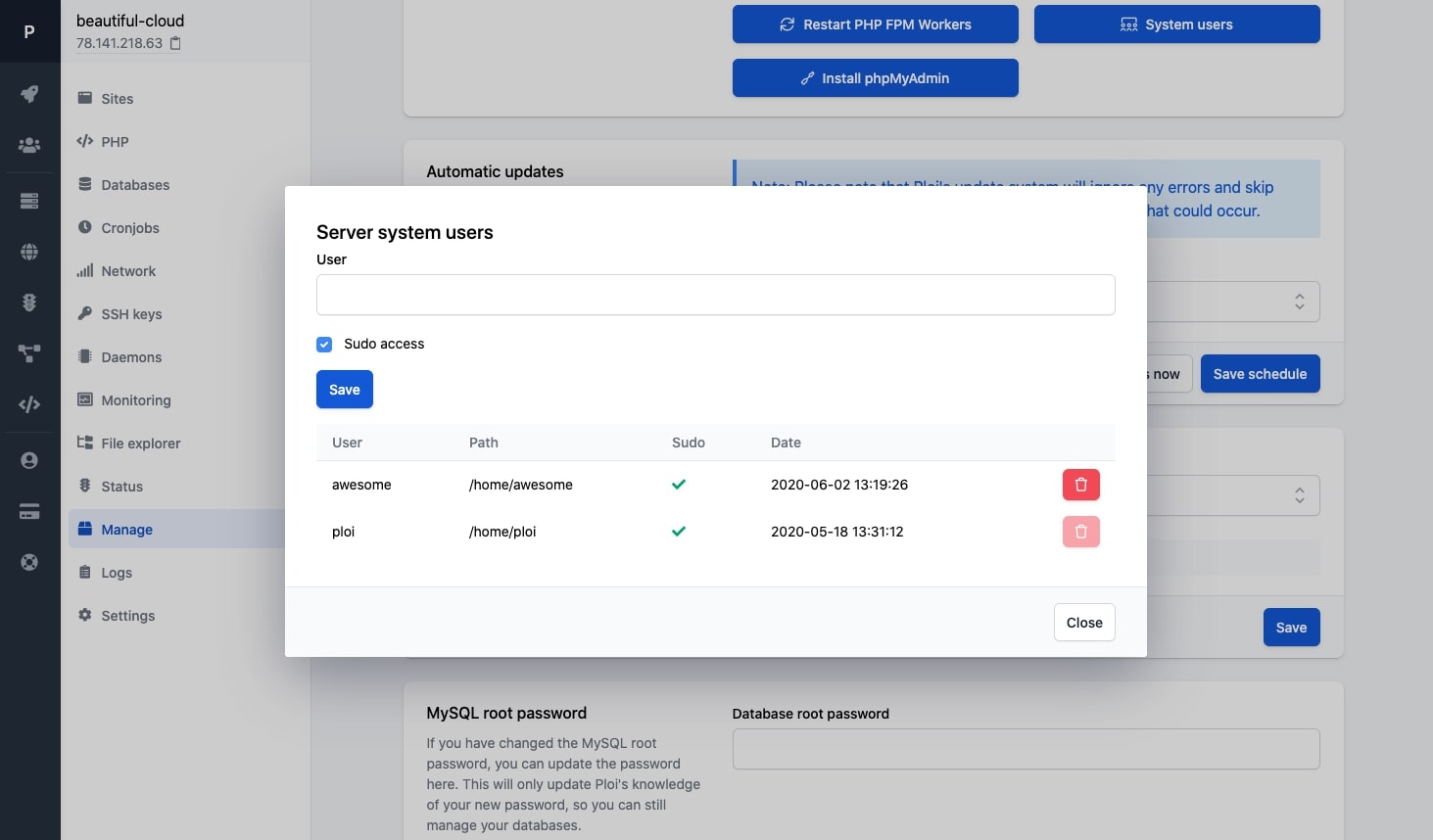
Security through separation
Each site runs in its own isolated environment, preventing cross-site contamination
OS-level isolation
Each site runs under its own Linux system user with strict file permissions
SSH keys per user
Each isolated user gets their own SSH key for secure, independent access
Breach containment
A compromised site cannot access files or data from other sites on the server
One-click setup
Create isolated users and assign sites to them directly from the dashboard
How does isolation work?
Without isolation, all sites on a server share the same system user. If one site is compromised through a vulnerability, the attacker could access every other site. Isolation eliminates this risk entirely.
Separate system users
Each site gets its own Linux user with restricted permissions
Isolated file systems
Sites cannot read or write to each other's directories
Separate PHP processes
Each site runs its own PHP-FPM pool under its own user
Your Server
Isolateduser_site1
laravel-app.com
user_site2
wordpress-blog.com
user_site3
client-portal.io
Each site runs under its own system user
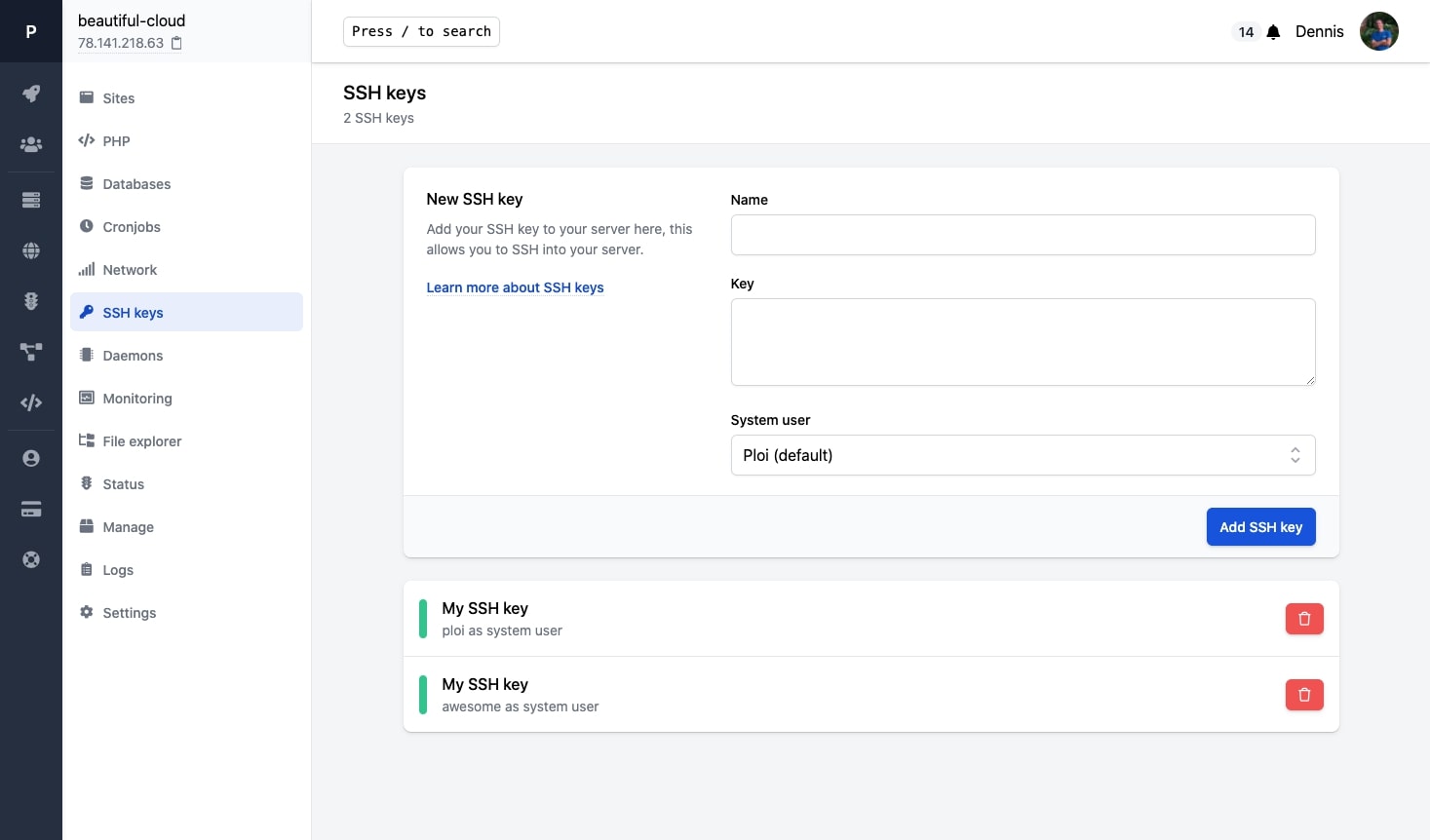
Manage SSH keys per user
Each isolated user has its own SSH key. Developers only get access to the sites they need — nothing more, nothing less.
SSH keys
File permissions
PHP-FPM pools
Cross-site access
When should you use isolation?
Website isolation is recommended whenever you host multiple sites on a single server
WordPress sites
WordPress plugins are a common attack vector. Isolation prevents a compromised plugin from affecting other sites.
Client sites
Hosting multiple clients on one server? Ensure their data stays private and separated from each other.
Compliance
Meet security requirements by proving that applications are isolated at the operating system level.
Ready to secure your server?
Start isolating your sites and protect your applications from cross-site attacks
System users
SSH keys
Permissions
Isolated